


 Junk food threatens your health, doctors say. Junk files threaten your computer's health in much the same way, by clogging up its data arteries with useless deposits that slowly strangle its performance. In both cases, exercise is crucial to maintaining the health of the overall system. Luckily, keeping your system fit and trim is easy, thanks to system cleaners like The Web Atom's System Ninja Portable. This portable freeware scans your computer for the digital equivalent of fatty deposits, such as temporary files and browser histories, and cleans them out, helping your system to run more like it did when it was brand new. System Ninja Portable also includes useful extras, such as Startup and Process Managers, a Checksum tool, and a system information display.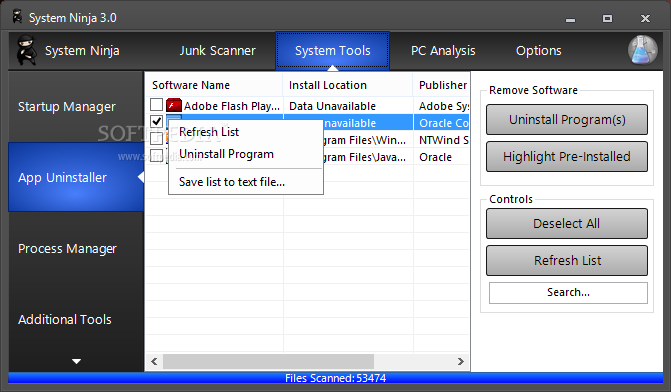
The portable version of System Ninja can run from any directory, including USB drives, but otherwise it's basically the same tool as the installed version. The user interface is simple and clean, with highlighted buttons accessing the Junk Scanner, System Tools, and PC Analysis features as well as the program's Options, which includes basic settings and an Ignore Files list. Like the installed version, System Ninja Portable found more junk than CCleaner, our daily driver. The results were similar, though, with both tools' options set to scan the same spots. Right clicking any entry in System Ninja's scan results let us delete or ignore the file or open its containing folder. To remove whole categories of files, we simply unchecked the appropriate entry and rescanned our system. Clicking Delete Everything took out the trash.

 Posted in: Antivirus


